FOC/4.2.1 · ENGINEERING APPENDIX · DECLASSIFIED
HOW THIS CONSOLE
WAS BUILT
An honest teardown of the ARTEMIS-9 mission-control experience: what it is, what it runs on, and how you could ask an AI agent to build you one. No secrets. Just craft.
THE CONCEPT
The brief was a single feeling: glancing into NASA's night shift. Not a landing page about a mission — the console itself, alive and indifferent to your presence. That framing made every decision for us. Real instrument panels are dense but calm, so the design leans on one green, one cyan, one warning amber against near-black #04070a. Everything moves, but slowly, at instrument tempo. And nothing on the page is an image: every visual is drawn by code, live, at 60 fps.
THE ACTUAL TECHNIQUES
- CANVAS 2D × 2 SCOPESThe proximity radar and the orbital map are plain Canvas 2D — no WebGL, no libraries. The radar uses
createConicGradient for the sweep decay; blip brightness is computed from angular distance behind the sweep line. The orbital map draws a wireframe Moon (parametric ellipse meridians), a tilted elliptical orbit, and a 110-point trailing path with quadratic alpha falloff.
- ONE SHARED SIMULATIONAltitude on the telemetry panel is derived from the same orbital phase that positions the spacecraft on the map, and velocity is derived from altitude — so the instruments agree with each other, which is what makes the console feel real.
- rAF TELEMETRY TICKERSEach channel is
base + slow sine + fast sine + noise, sampled every 120 ms inside requestAnimationFrame and drawn to a 46-sample ring-buffer sparkline.
- CORNER-BRACKET SYSTEMThe HUD frames are one CSS utility class: eight positioned
linear-gradient layers on a single ::before, sized by custom properties, recolored globally during alerts by swapping one variable.
- ALERT CHOREOGRAPHYA caution event is a timed script: body class flips the bracket color to amber, the O₂ channel dips via an easing depth value, a debris contact appears on radar, six scripted comms lines play out, then everything resolves. It also runs on demand from the RUN CAUTION DRILL button.
- ZERO DEPENDENCIESNo frameworks, no build step. Three vanilla JS files, one stylesheet, fonts from bunny.net (Chakra Petch + IBM Plex Mono).
prefers-reduced-motion swaps animation for 1 Hz updates and skips the boot sequence.
THREE PASSES
PASS 1 — STRUCTURE
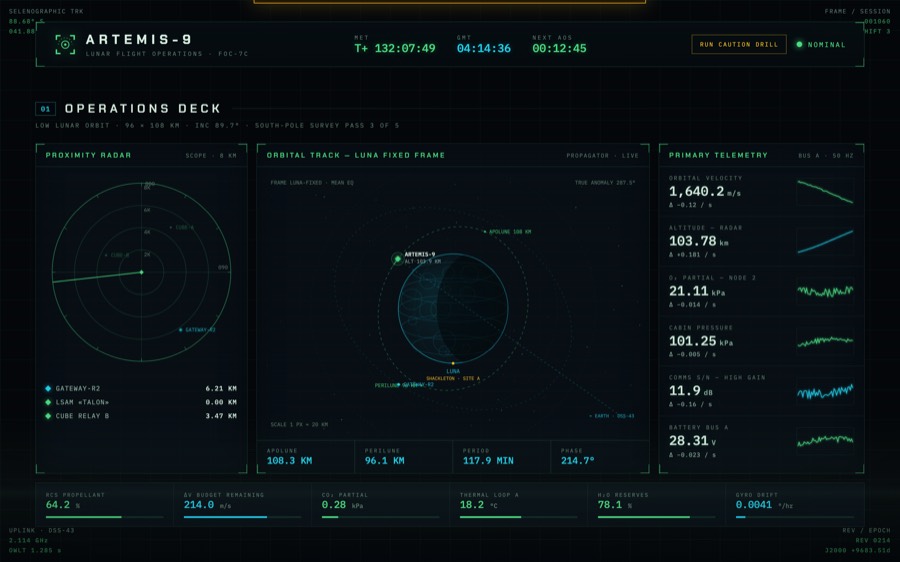
Built the full console in one sitting: boot sequence, both scopes, six telemetry channels, timeline, crew biomed, comms loop, systems grid, brief. The screenshot caught two real bugs — an amber sliver of the hidden alert banner leaking at the top edge, and the fixed corner readouts clipped behind the sticky header.
PASS 2 — CRITIQUE
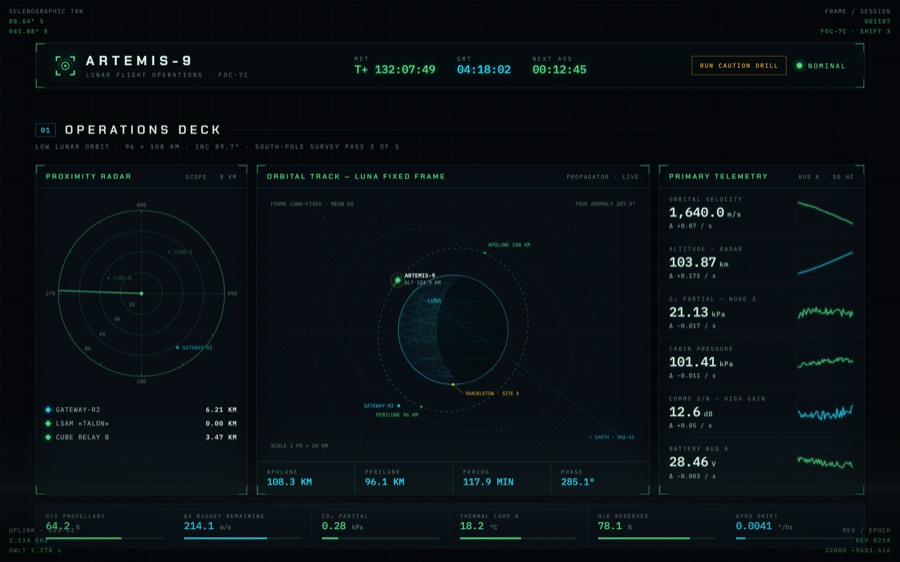
Fixed the banner, un-stuck the header so the HUD corners own the viewport, moved radar range labels onto a diagonal so they stop colliding with bearing marks, and pushed the apolune/perilune labels outward along their radials. Wired the orbit footer to the live propagator so the phase readout agrees with the map.
PASS 3 — POLISH
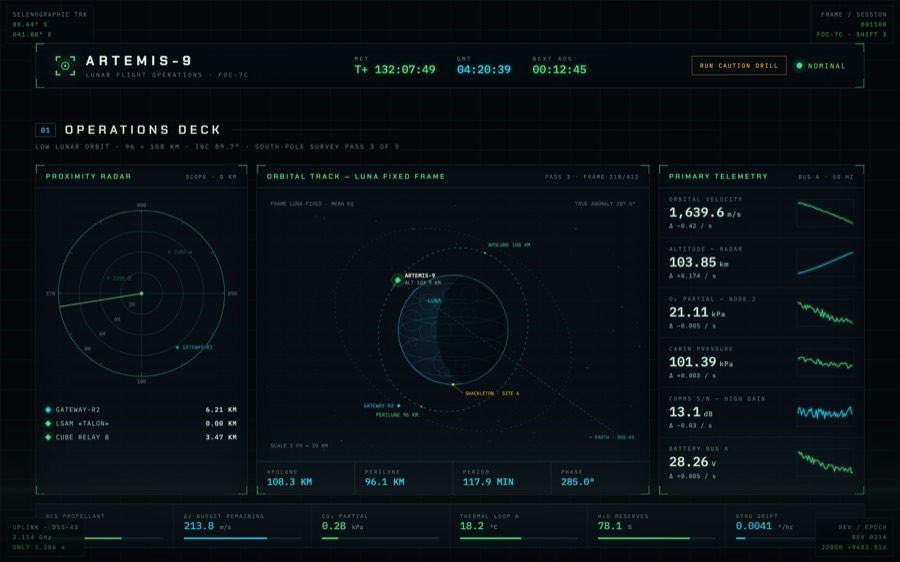
Detail density: dark backdrop pills behind the corner readouts so they overlay content instead of colliding with it, a live survey-frame counter on the orbit panel, drifting contact ranges on the radar list, timeline hover states, and a final 390 px mobile audit.
PROMPT YOUR OWN
Everything here is reproducible by an AI agent. The prompt that matters looks like this:
Build a cinematic lunar mission-control console as a static site.
Dark #04070a, HUD green + cyan + warning amber, Chakra Petch +
mono numerals. Canvas 2D radar with a conic-gradient sweep and
decaying blips. Canvas orbital map: wireframe moon, tilted
ellipse, spacecraft with a fading trail — derive the altitude
readout from the same orbital phase. Six telemetry channels as
sine + noise generators with ring-buffer sparklines. A timed
"master caution" script that turns the whole UI amber, dips O₂,
plays scripted comms, and resolves. Boot sequence under 2.5 s.
Corner brackets as a reusable CSS class. Respect
prefers-reduced-motion. Screenshot, self-critique, iterate ×3.
The last line is the one most people skip. The difference between a demo and this page is the loop: render, look, criticize, fix, repeat.
← RETURN TO OPERATIONS DECK